简体中文 繁體中文 English 日本語 Deutsch 한국 사람 بالعربية TÜRKÇE português คนไทย Français

Ulanzi Studio

 找回密码
 立即注册
查看: 211|回复: 3

Image border offset in button window D200H and border in title

[复制链接]

1

主题

1

回帖

15

积分

新手上路

积分
15
发表于 2025-12-18 21:03:57 | 显示全部楼层 |阅读模式
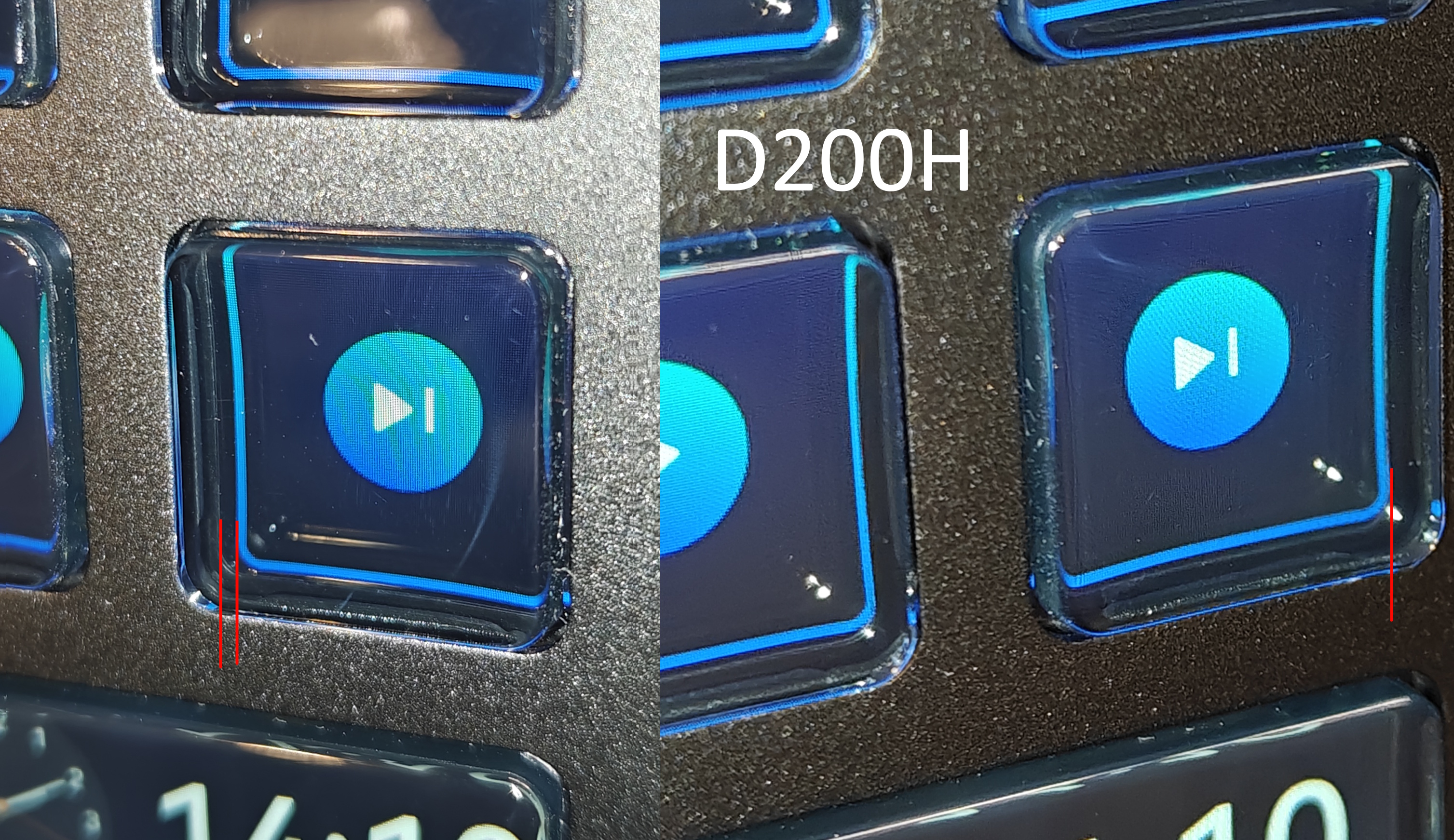
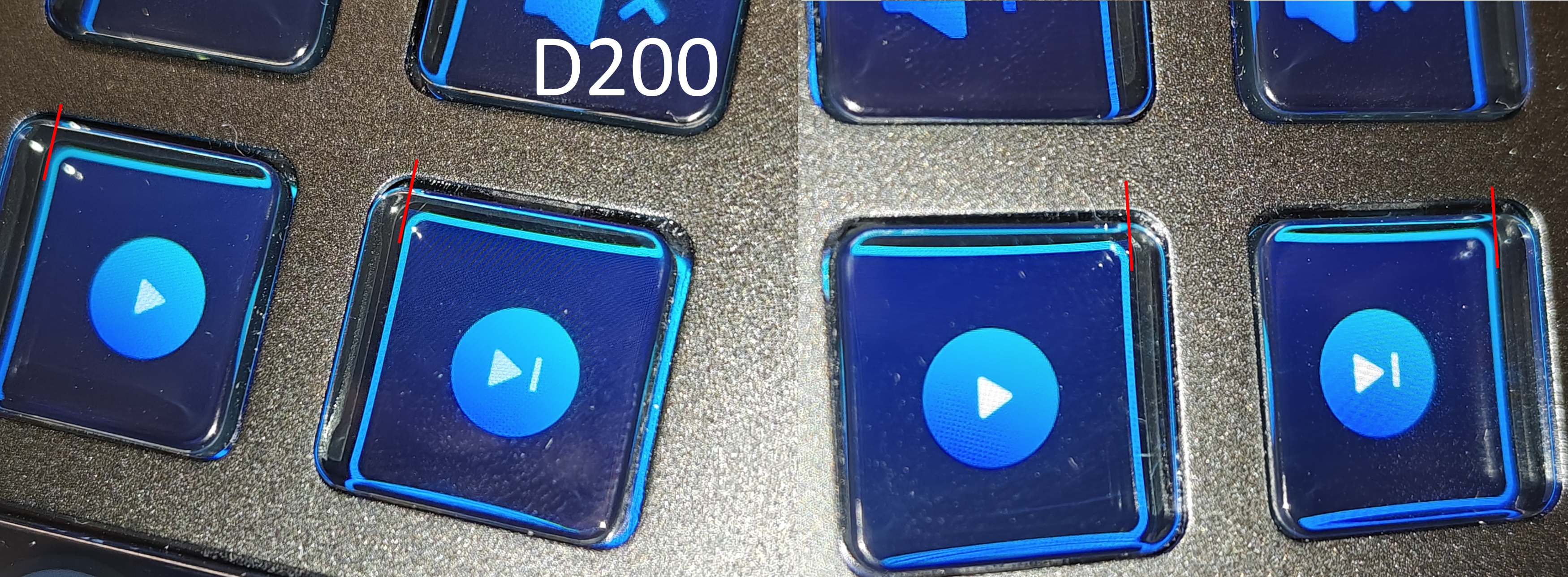
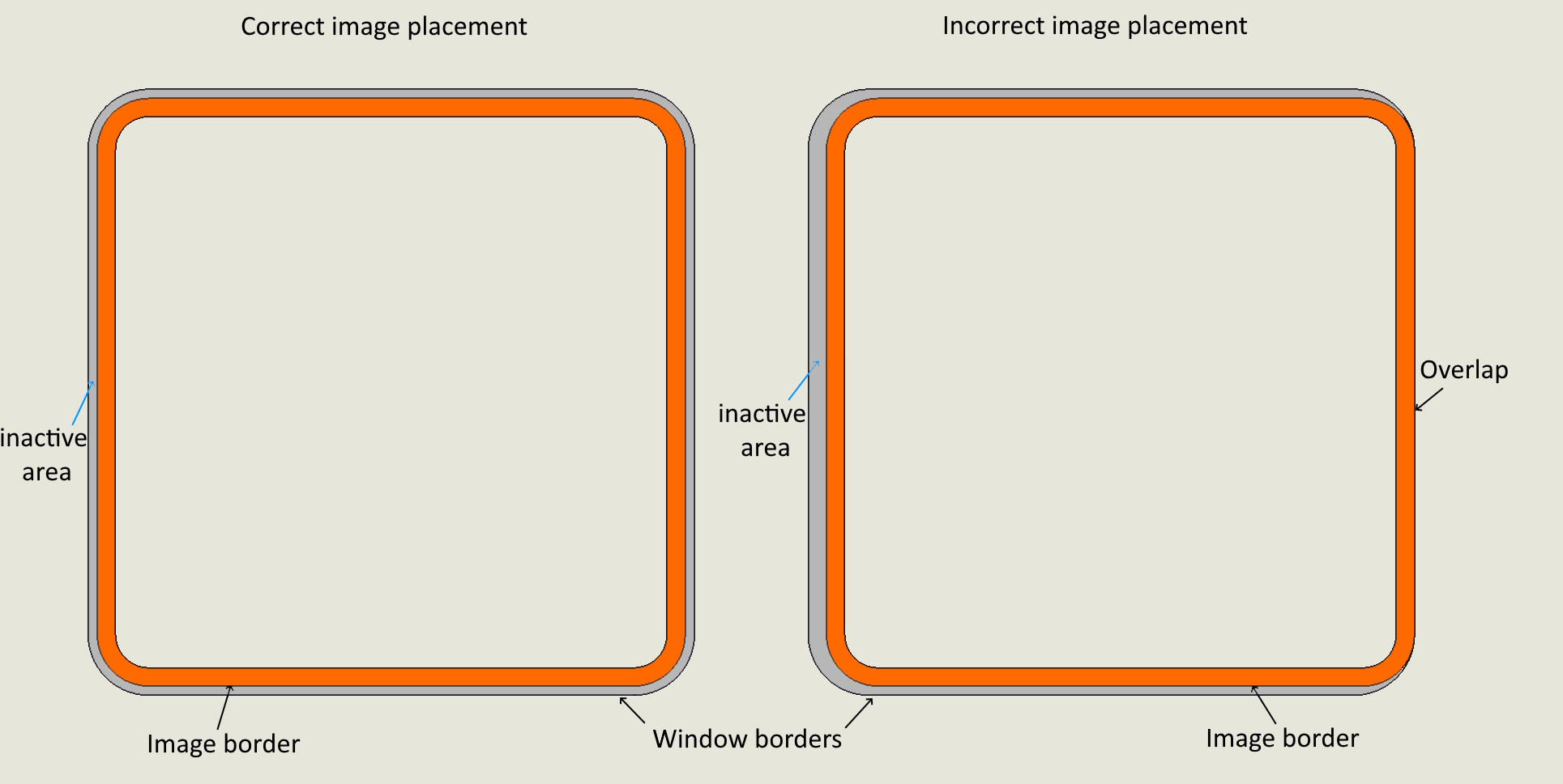
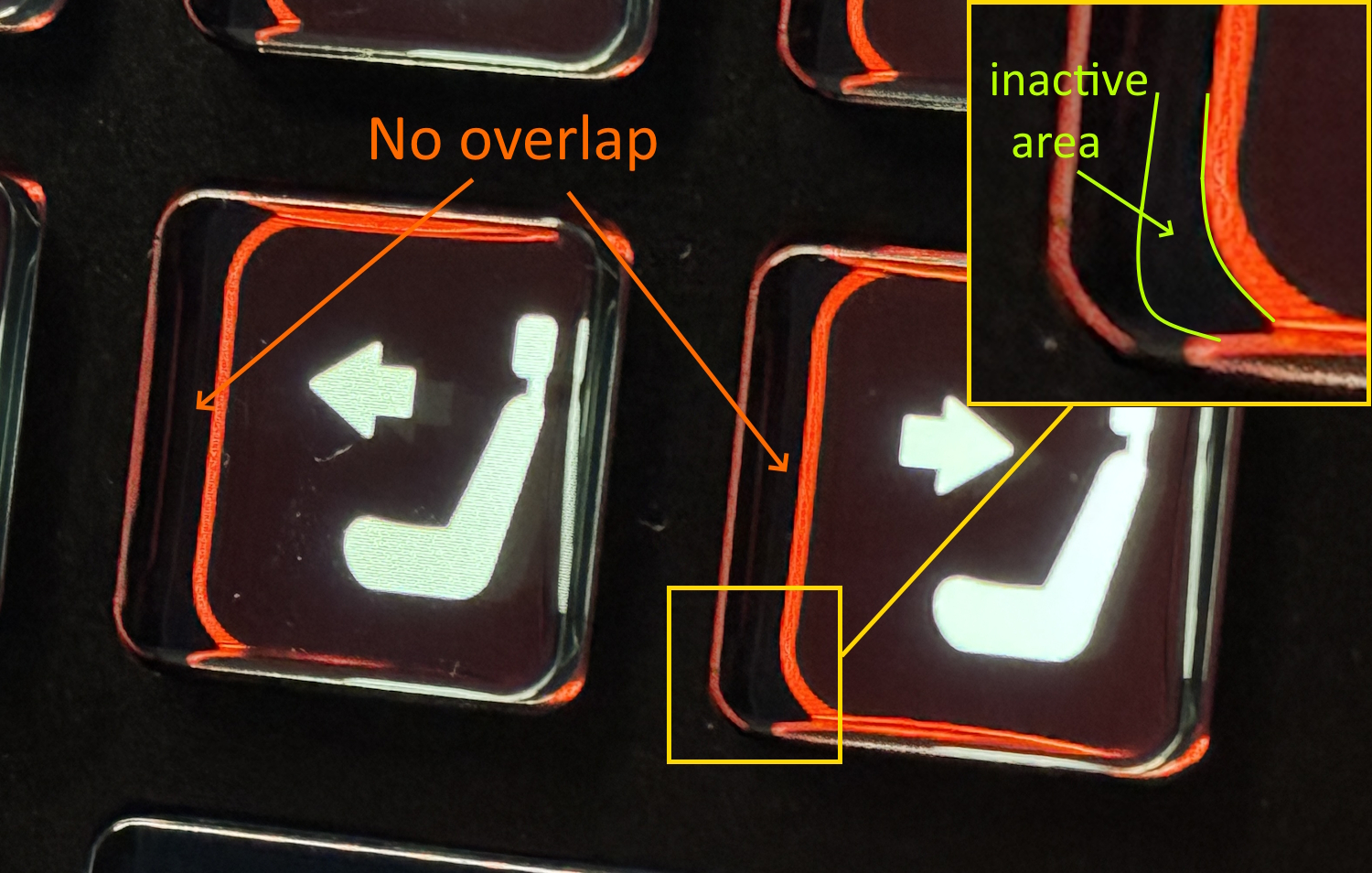
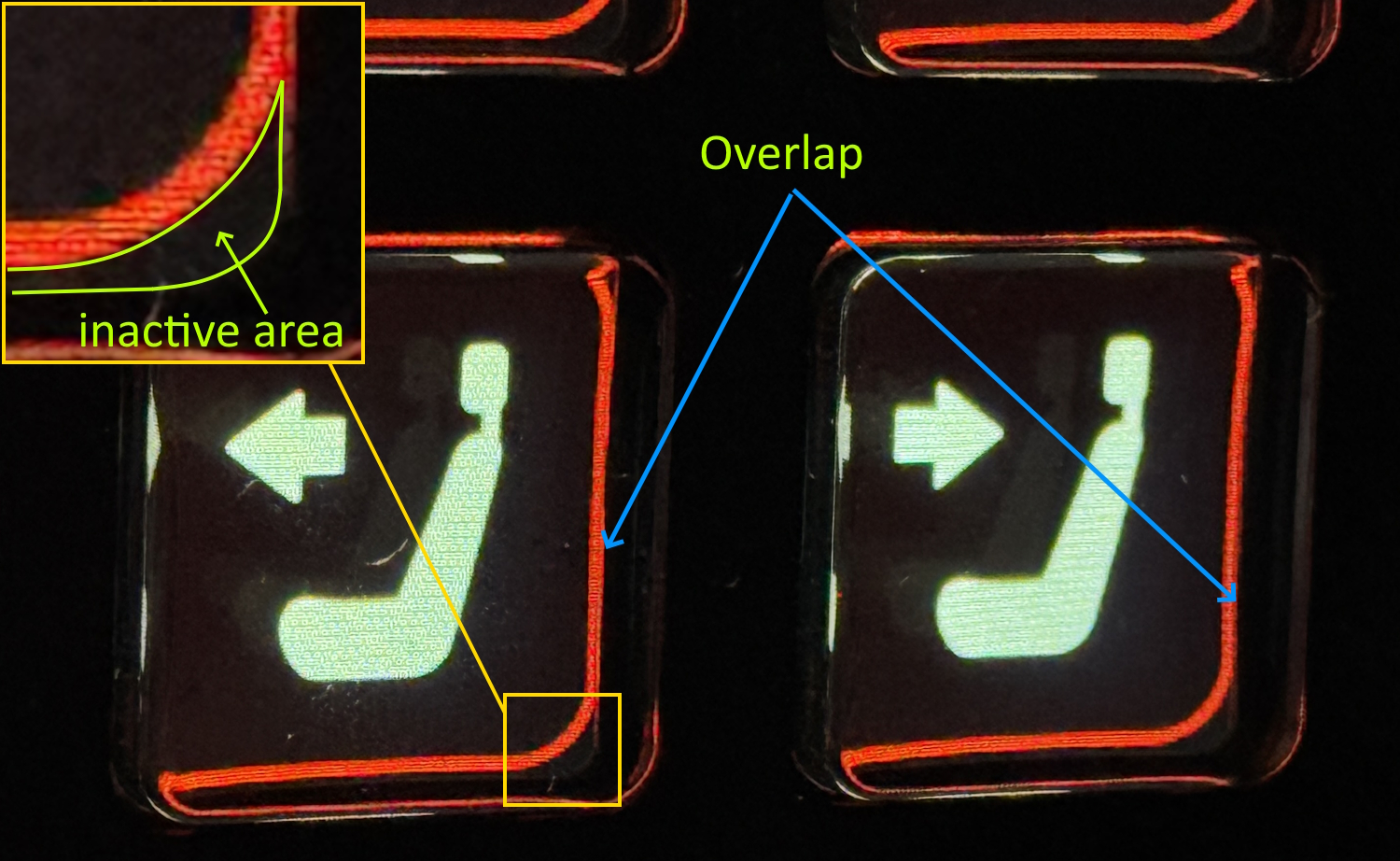
1. There are three devices in use. One is a D200, and two are D200H. On the D200H, the displayed image of the button is offset from the visible area of the button. Because of this, the circular frame or solid fill appears uneven, and the image looks offset to the side relative to the center. Is there a way to fix this or manually calibrate the image position in the window?
        

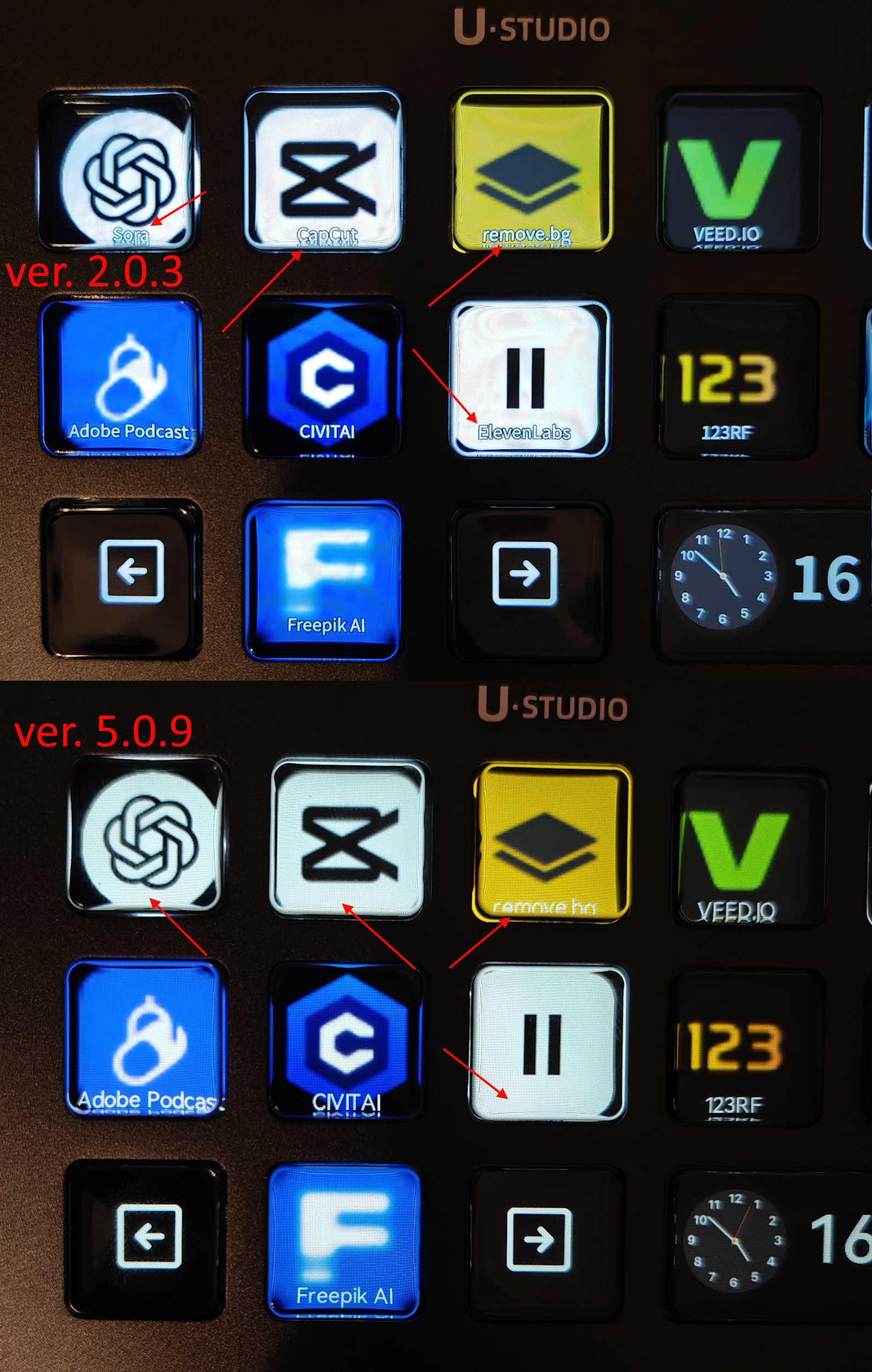
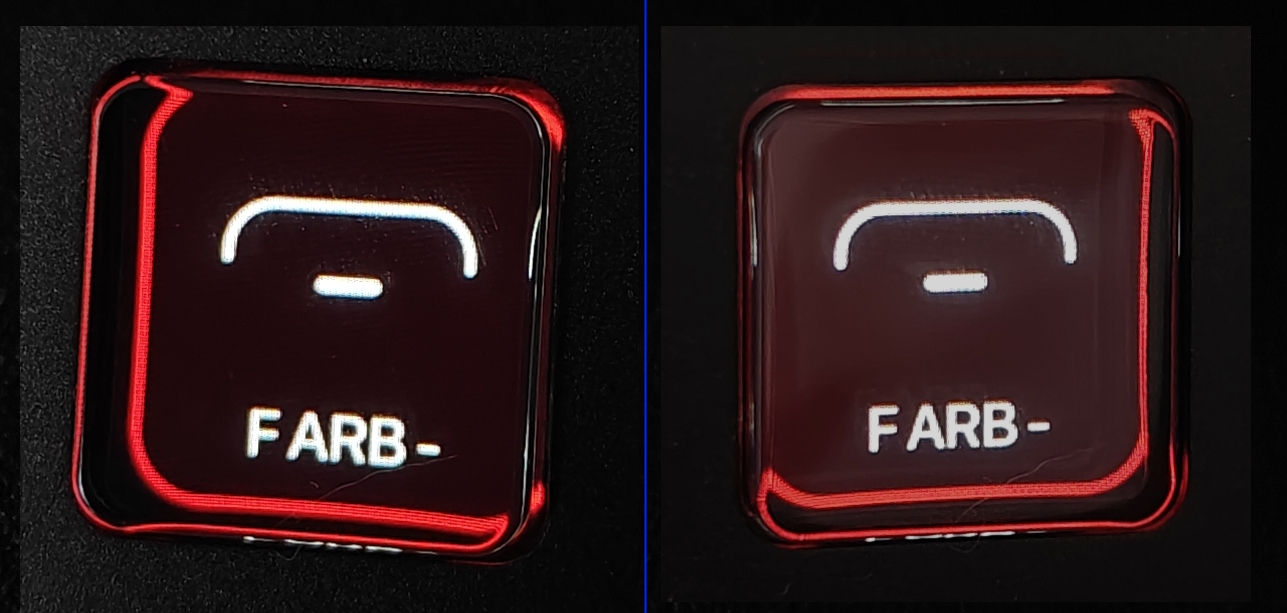
2. One D200 has firmware ver. 2.0.3. The other D200 and D200H have firmware ver. 5.0.9. The device with firmware 2.0.3 has a border around the button caption text. In 5.0.9, there is no border and the button caption text blends into the white background. How can I add an outline to the text in 5.0.9, and why can't the D200 with 2.0.3 be updated to 5.0.9?


本帖子中包含更多资源

您需要 登录 才可以下载或查看,没有账号?立即注册

×

66

主题

130

回帖

773

积分

管理员

积分
773
发表于 2025-12-19 15:20:43 | 显示全部楼层
Dear Ulanzi user, hello:
In response to the question you raised, after analysis:
1. Is the button surface of the D200H product you are currently holding concave? Is the button surface of D200 product a surface? These two different button surfaces can result in different image representations on the LCD display, which is a product design feature. If you feel that the product design effect is not ideal, you can provide us with feedback in a timely manner so that we can improve it.
2. Deck products with firmware versions 2.0.3 and 5.0.9 only have different hardware used internally, so the firmware versions are not consistent. Deck products with firmware version 2.0.3 cannot be upgraded to firmware version 5.0.9, but there is no difference in their functional usage.
3. The instruction text for the buttons will blend with the white background, which has been fixed in the latest firmware version 5.1.3.
Thank you for your attention and feedback on our company's products!

1

主题

1

回帖

15

积分

新手上路

积分
15
 楼主| 发表于 2025-12-20 05:59:33 | 显示全部楼层
Ulanzi 发表于 2025-12-19 15:20
Dear Ulanzi user, hello:
In response to the question you raised, after analysis:
1. Is the button su ...


1. The surface of the buttons is curved on all three devices. Only on two D200 is there no image offset relative to the button window. On the D200H, there is.
As I understand it, there is one large screen under the buttons that displays the image area in certain places. Could your developers provide manual adjustment of the image borders relative to the button window in the software?
      
2. How do I update to 5.1.3? There is no button to check for device updates, and the latest update automatically installed 5.0.9 when I first started it a couple of days ago.

3. Just curious. Am I correct in understanding that the D200 model with serial number "01C32A..." has a higher display resolution than the D200H with serial number "02С46A" ? It is noticeable that the pixels are more visible on one of them.


本帖子中包含更多资源

您需要 登录 才可以下载或查看,没有账号?立即注册

×

66

主题

130

回帖

773

积分

管理员

积分
773
发表于 2025-12-24 15:33:34 | 显示全部楼层
Dear Ulanzi user:
1.Regarding the suggestion of adjusting the position of images through software, we have already provided feedback to the software development engineer.
2.The firmware version 5.1.3 is currently a trial version and has not been officially launched yet. It is expected to be launched within two weeks。
3. The screen resolutions of the two models are inconsistent, with serial numbers "01C32A..." having a higher resolution than serial number "02C46A" D200H
您需要登录后才可以回帖 登录 | 立即注册

本版积分规则

手机版|Ulanzi Studio论坛 ( 粤ICP备2024258515号-1 )

GMT+8, 2026-1-20 20:51 , Processed in 0.150191 second(s), 20 queries .

Powered by Discuz! X3.5

© 2001-2025 Discuz! Team.

快速回复 返回顶部 返回列表