|
|
 发表于 2026-2-3 18:53:02
|
显示全部楼层
发表于 2026-2-3 18:53:02
|
显示全部楼层
本帖最后由 k000bk 于 2026-2-3 18:55 编辑
After additional investigation: no matter what shortcut combination i set up for Mission Control it it does not work in Ulanzi.
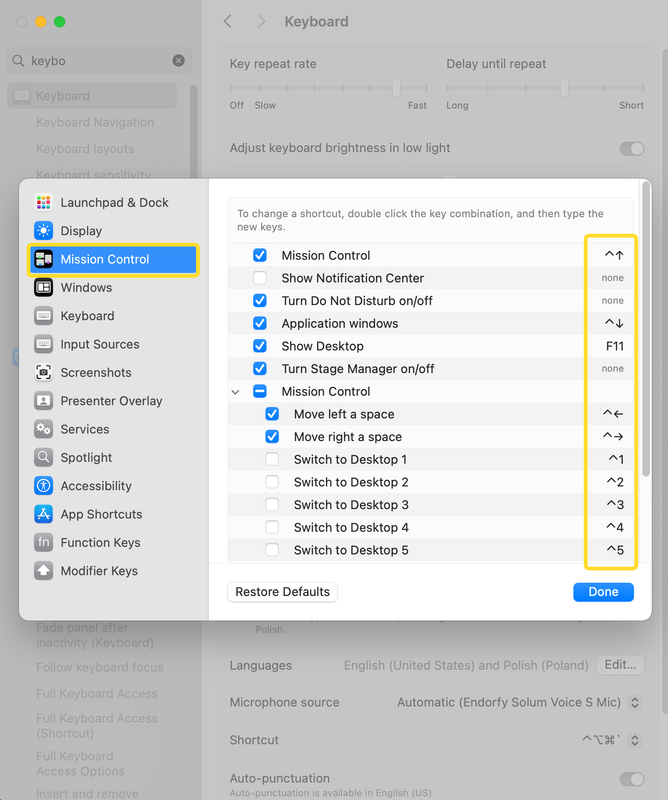
As a temporary workaround I managed to run the mission control shortcuts via app made in Automator, but it's not ideal - there is a significant delay running the app that invokes the shortcut vs pressing it on a physical keyboard. The faster workaround was launching Apple Script with Scripts app, but it resulted in privilages error (scripts are not allowed to invoke keystrokes).
The Automator app setup does only 1 thing which is "Run AppleScript":
- on run {input, parameters}
- tell application "System Events"
- key code 126 using control down
- end tell
- return input
- end run
However: the apple script proves it should be possible to add this to Ulanzi Studio. Maybe this will help with development. |
|
 English
 简体中文
简体中文 繁體中文
繁體中文 한국 사람
한국 사람 日本語
日本語 Deutsch
 русский
 بالعربية
 TÜRKÇE
 português
 คนไทย
คนไทย french


 发表于 2026-1-10 20:55:59
