简体中文 繁體中文 English 日本語 Deutsch 한국어 بالعربية TÜRKÇE português คนไทย Français

Ulanzi StudioCreator tool community

 找回密码
 立即注册
查看: 464|回复: 12

Ulanzi D200X 上手:Capture One 一键调色预设

[复制链接]

86

主题

423

回帖

1778

积分

管理员

积分
1778
发表于 2026-6-25 11:42:05 | 显示全部楼层 |阅读模式
Ulanzi D200X 上手:Capture One 一键调色预设


一键安装「Capture One For D200X」预设,把曝光调色、蒙版局部、裁剪导览的高频操作搬到 D200X 的按键和旋钮上,告别反复点鼠标。


【基本信息】

适配设备:Ulanzi D200X
配套软件:Capture One
运行环境:Ulanzi Studio V3.0 及以上
页面数量:4 页
其他说明:标签与图标已配置好,导入即用,零代码。


【按键速览】

每页底部固定为「上一页 / 下一页」两个翻页键 + 3 个旋钮;顶部为各页功能键,按页切换。

第 1 页 · 工具导航
图库 、联机 、形状 、样式 、调整、润饰 、完善。

第 2 页 · 曝光与白平衡
曝光、对比度、亮度、高光、阴影、白色、黑色、色温、色调、饱和度、清晰、选取白平衡、曝光警告。

第 3 页 · 蒙版与局部
绘制遮罩、修复遮罩、克隆遮罩、线性渐变、径向渐变、灰度遮罩、显示遮罩、擦除遮罩、色阶高光、色阶中间调、色阶阴影、移除污点、重置调整项。

第 4 页 · 裁剪与导览
裁剪、拉直、梯形矫正、平移、放大镜、放大缩小、注释、选择、调整项、撤销、重做、复制效果、粘贴效果。


【旋钮用法(4 页通用)】

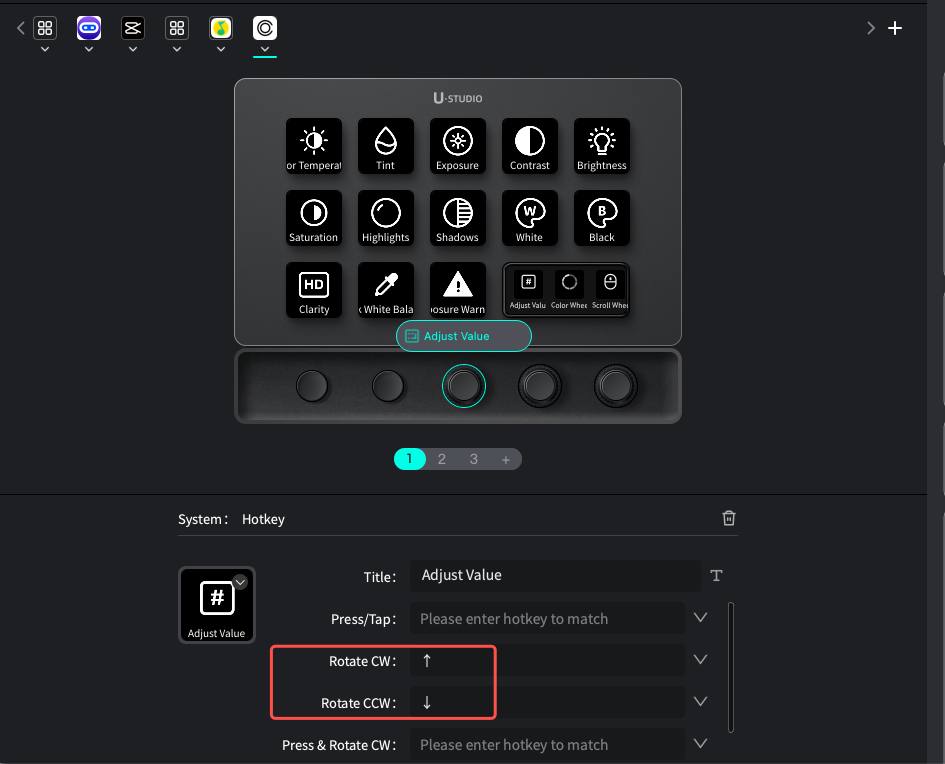
口诀:按键选参数,旋钮做微调。先按某个参数键,再转旋钮调数值。

旋钮 1 调数值:加减当前选中的参数。
旋钮 2 色轮转:色相 / 横向微调。
旋钮 3 滚轮:画面缩放、滚动浏览。

注意:旋钮仅旋转生效,按压无功能。
4.png 3.png 2.png 1.png

【安装与使用】

1、D200X 连接电脑,确认 Ulanzi Studio 已识别设备。
2、在 Studio「应用商店」搜索 Capture One For D200X,下载并应用;
3、让 Capture One 处于前台,在 D200X 上切到本预设,即可用「按键 + 旋钮」修图。


【常见问题】

Q1、按键没反应?
确认 Capture One 是当前焦点窗口;重新切换预设或重启 Studio。

Q2、字母键无效,或触发了错误功能?
本预设用到字母快捷键,请在 Capture One「编辑 → 编辑键盘快捷键」中核对一致。

Q3、旋钮不调数值?
需先用按键选中一个参数,旋钮才有调节对象。

Q4、快捷键被输入法拦截?
修图时切换到英文输入法。


适配 Ulanzi D200X|配套 Capture One|预设共 4 页

0

主题

7

回帖

64

积分

注册会员

积分
64
发表于 2026-7-29 12:42:28 | 显示全部楼层
This doesn't seem to be available in the english version of the store, any idea on release?

86

主题

423

回帖

1778

积分

管理员

积分
1778
 楼主| 发表于 2026-7-29 22:45:22 | 显示全部楼层
loveshock 发表于 2026-7-29 12:42
This doesn't seem to be available in the english version of the store, any idea on release?

Hello, could you please take a screenshot and show it to me? You can search for the keyword "capture".

0

主题

7

回帖

64

积分

注册会员

积分
64
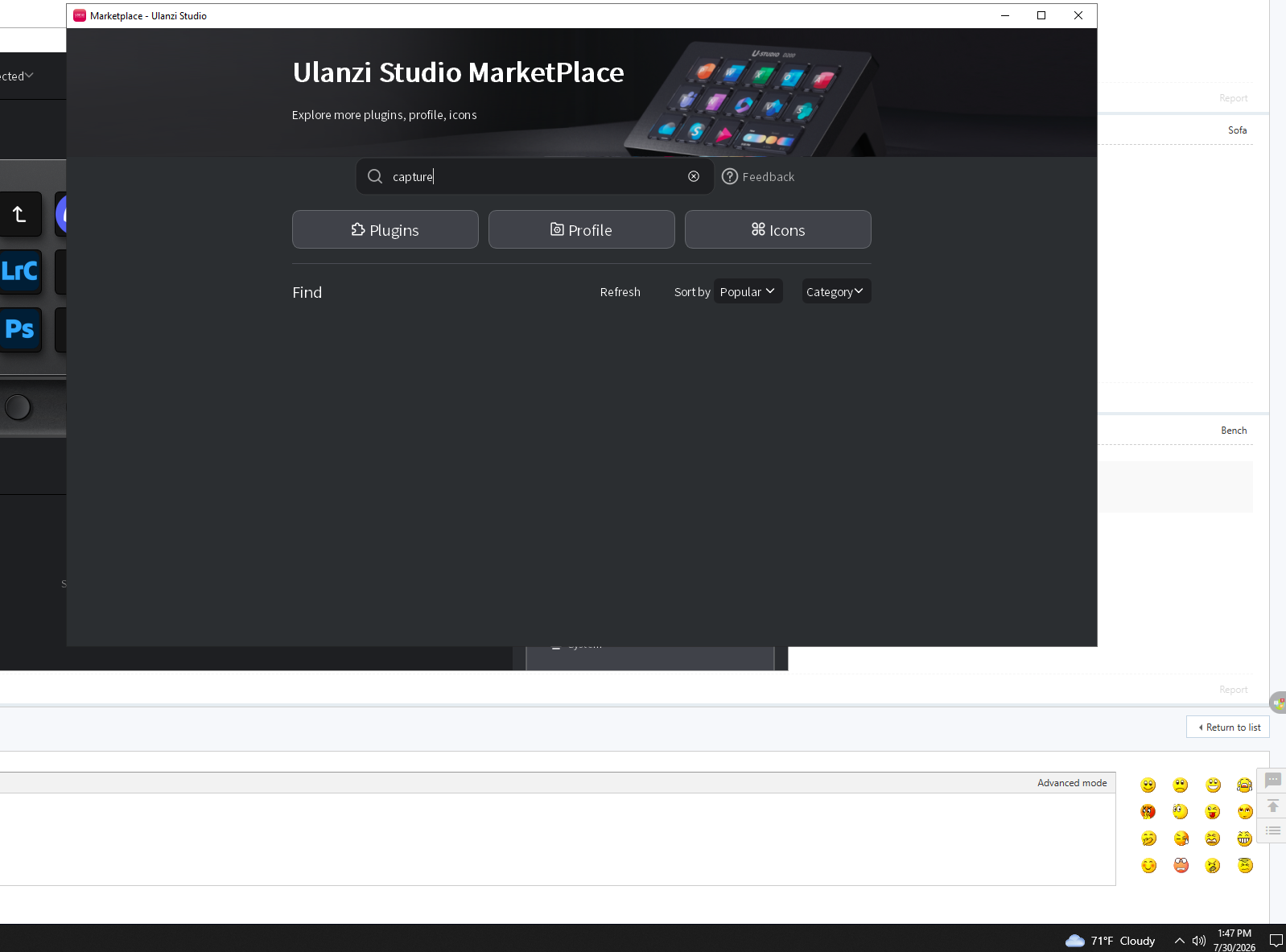
发表于 2026-7-31 01:48:15 | 显示全部楼层
Here is the screenshot of the market
Screenshot_1.png

86

主题

423

回帖

1778

积分

管理员

积分
1778
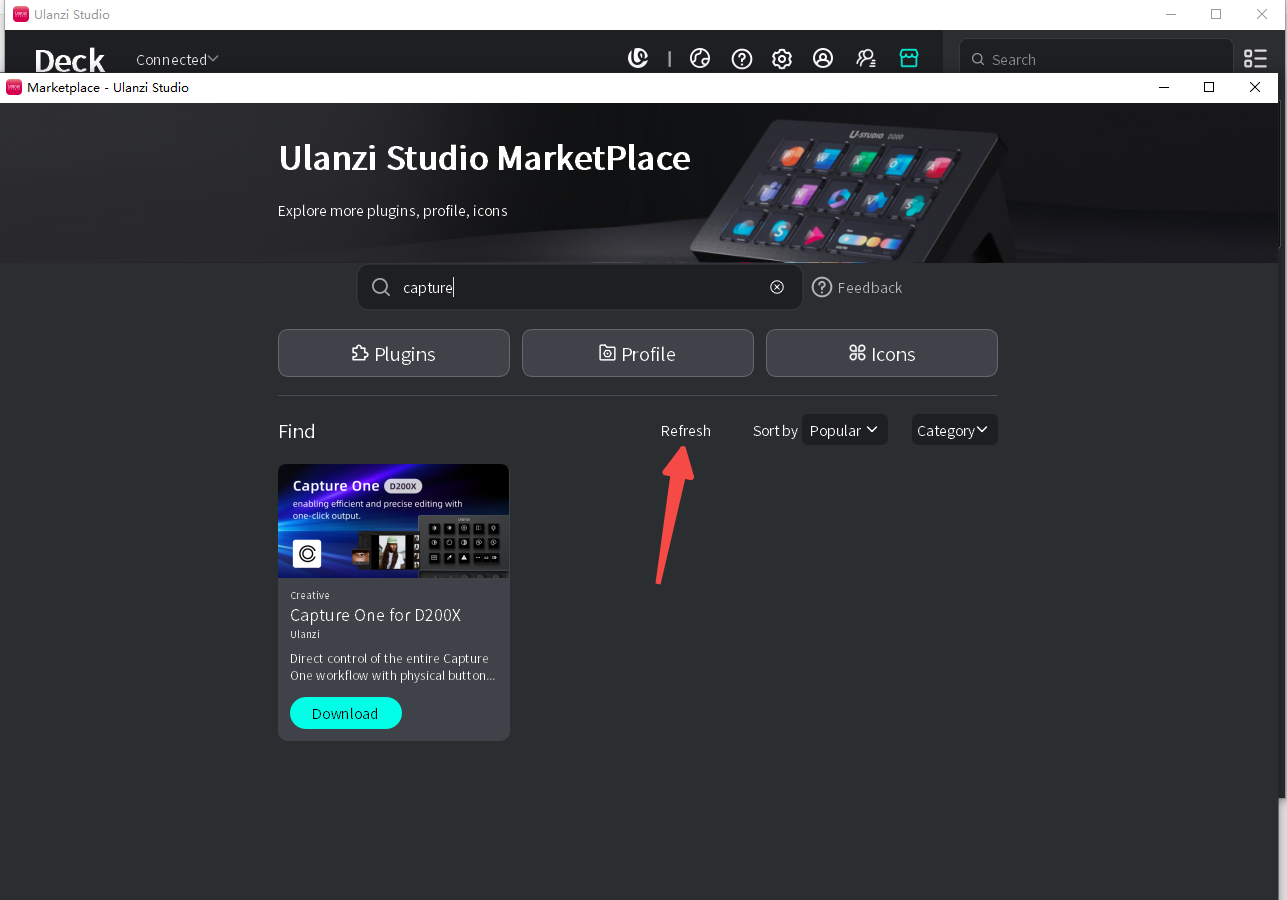
 楼主| 发表于 2026-8-1 16:45:08 | 显示全部楼层
loveshock 发表于 2026-7-31 01:48
Here is the screenshot of the market

Hello, please click “Refresh” and see if it appears.
capture one.png

0

主题

7

回帖

64

积分

注册会员

积分
64
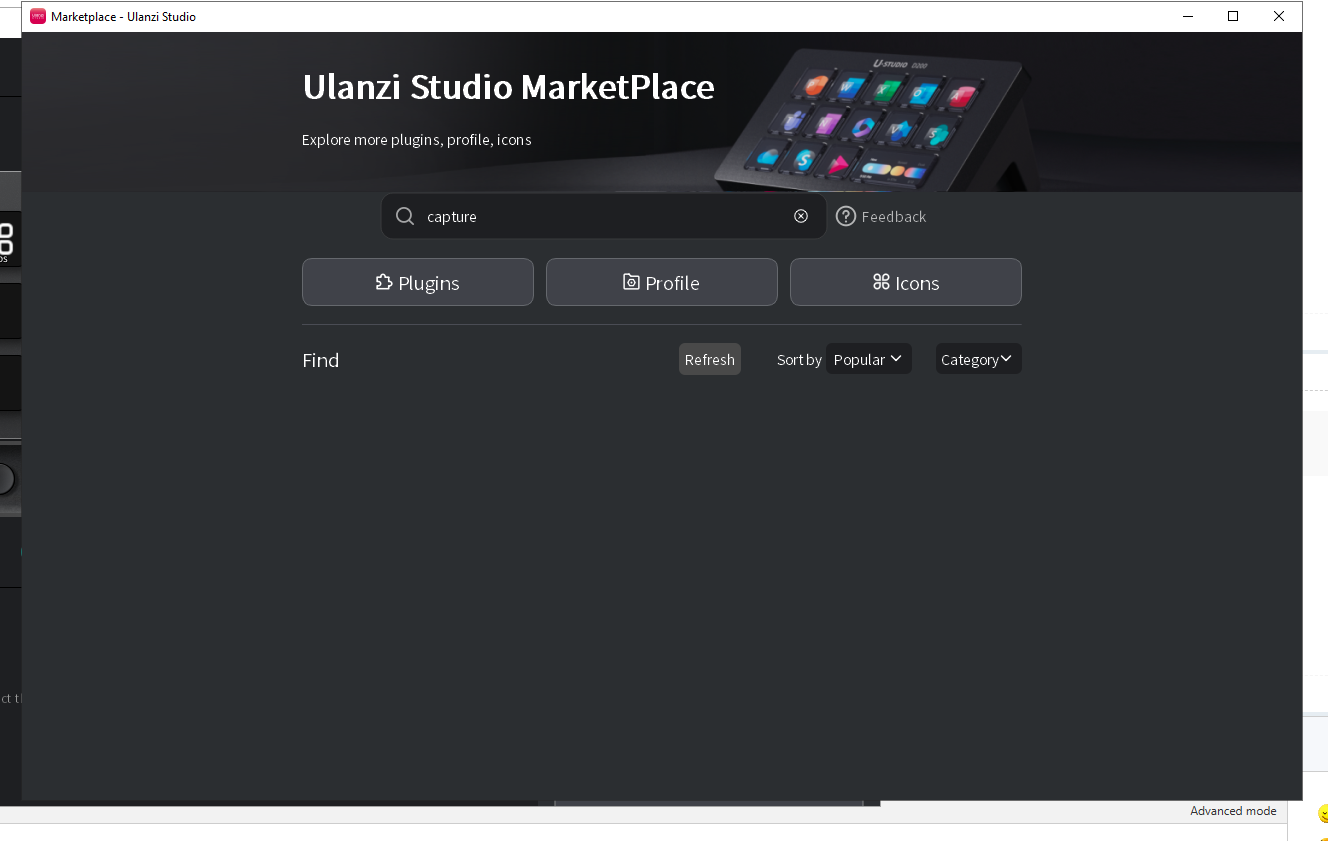
发表于 2026-8-1 23:39:51 | 显示全部楼层
Nothing come up so far, would you be able to upload the  preset file here so we can use it while the marketplace bug is fixed?
Screenshot_2.png

0

主题

7

回帖

64

积分

注册会员

积分
64
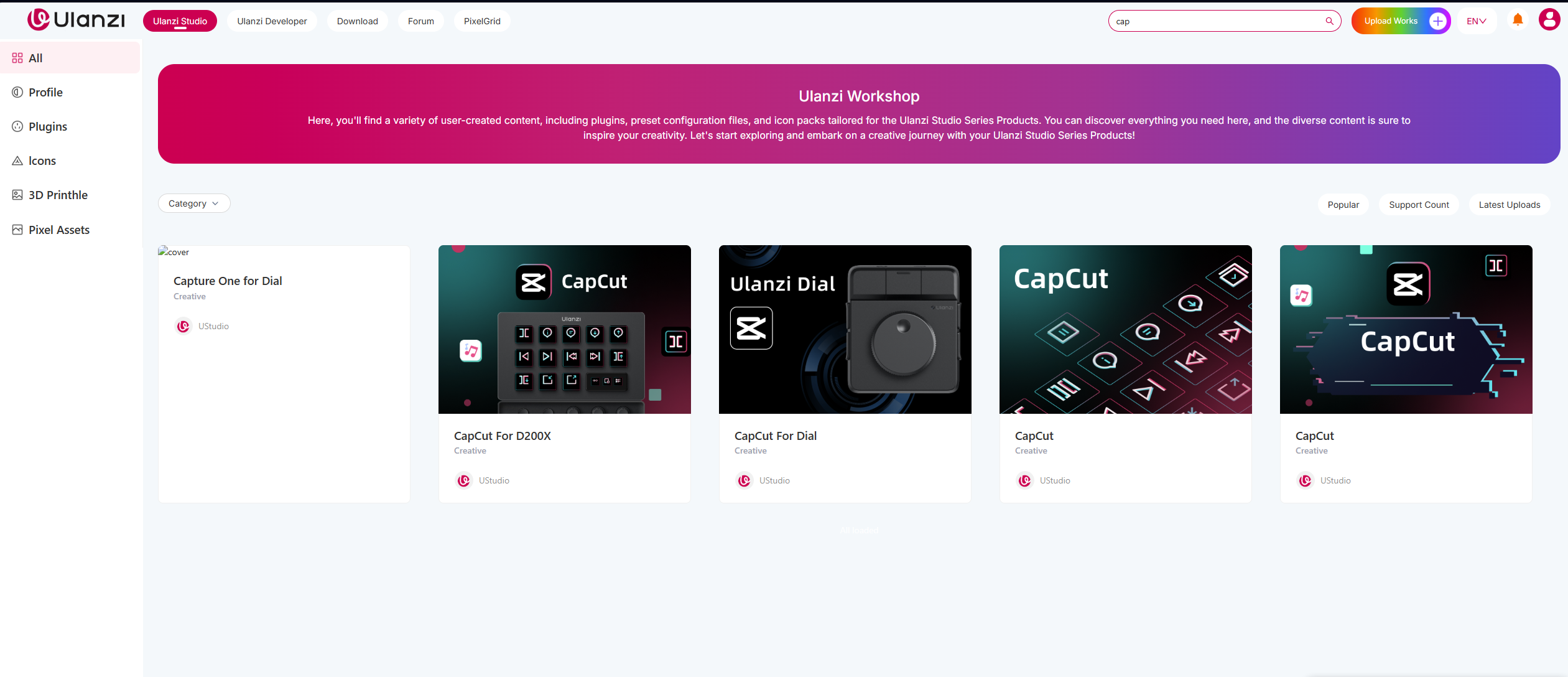
发表于 2026-8-1 23:56:13 | 显示全部楼层
It's also not showing up on the website market

image_2026-08-01_115453282.png

86

主题

423

回帖

1778

积分

管理员

积分
1778
 楼主| 发表于 2026-8-3 15:59:46 | 显示全部楼层
loveshock 发表于 2026-8-1 23:39
Nothing come up so far, would you be able to upload the  preset file here so we can use it while the ...

Hello, please download it from the forum first, import it, and try using it. Then, check the backend for further troubleshooting.

Capture One_D200X MAC.ulanziDeckProfile

294.5 KB, 下载次数: 0

Mac

Capture one_D200X Windows.ulanziDeckProfile

352.25 KB, 下载次数: 1

Windows

0

主题

7

回帖

64

积分

注册会员

积分
64
发表于 2026-8-5 16:06:10 | 显示全部楼层
Thank you! it's also showing up on the marketplace now as well. For the actual use, we have to hold down the button and then turn the knob for it to work?

86

主题

423

回帖

1778

积分

管理员

积分
1778
 楼主| 发表于 2026-8-5 17:25:15 | 显示全部楼层
loveshock 发表于 2026-8-5 16:06
Thank you! it's also showing up on the marketplace now as well. For the actual use, we have to hold  ...

No, based on the knob's configuration, once the default settings are downloaded, you only need to turn the knob to activate it; pressing it has no configured function.


Capture One.png
您需要登录后才可以回帖 登录 | 立即注册

本版积分规则

手机版|Ulanzi Studio论坛 ( 粤ICP备2024258515号-1 )

GMT+8, 2026-8-25 11:51 , Processed in 0.158995 second(s), 21 queries .

Powered by Discuz! X3.5

© 2001-2026 Discuz! Team.

快速回复 返回顶部 返回列表