简体中文 繁體中文 English 日本語 Deutsch 한국 사람 بالعربية TÜRKÇE português คนไทย Français

Ulanzi Studio

 找回密码
 立即注册
查看: 1|回复: 1

Marking menu clutch keys in Alias Surface

[复制链接]

1

主题

1

回帖

9

积分

新手上路

积分
9
发表于 昨天 22:45 | 显示全部楼层 |阅读模式
I'm using an Ulanzi stream deck D200.

In Autodesk, Alias Studio, to activate the marking menus, you need to hold down both the Ctrl and Shift keys, and then press one of the 3 mouse buttons.


Is there a way to make the buttons momentary? Meaning, that the key's activate as long as they are pressed, instead of activating once when they are pushed.


I cannot get this function to work in Ulanzi Studio? Any help would be appreciated, thank you.


1

主题

1

回帖

9

积分

新手上路

积分
9
 楼主| 发表于 昨天 23:23 | 显示全部楼层
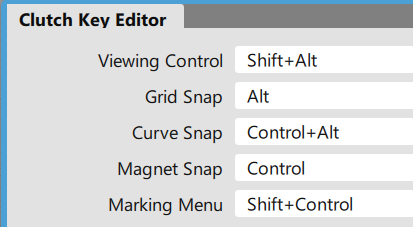
These are they keystrokes I'm trying to emulate.

View Control = Shift+Alt
Marking menu = Shift+Ctrl


If I make one button "Shift" and the other button "Alt", I cannot activate the view control.

If I make one button "Shift" and the other button "Ctrl", I cannot activate the Marking Menus.


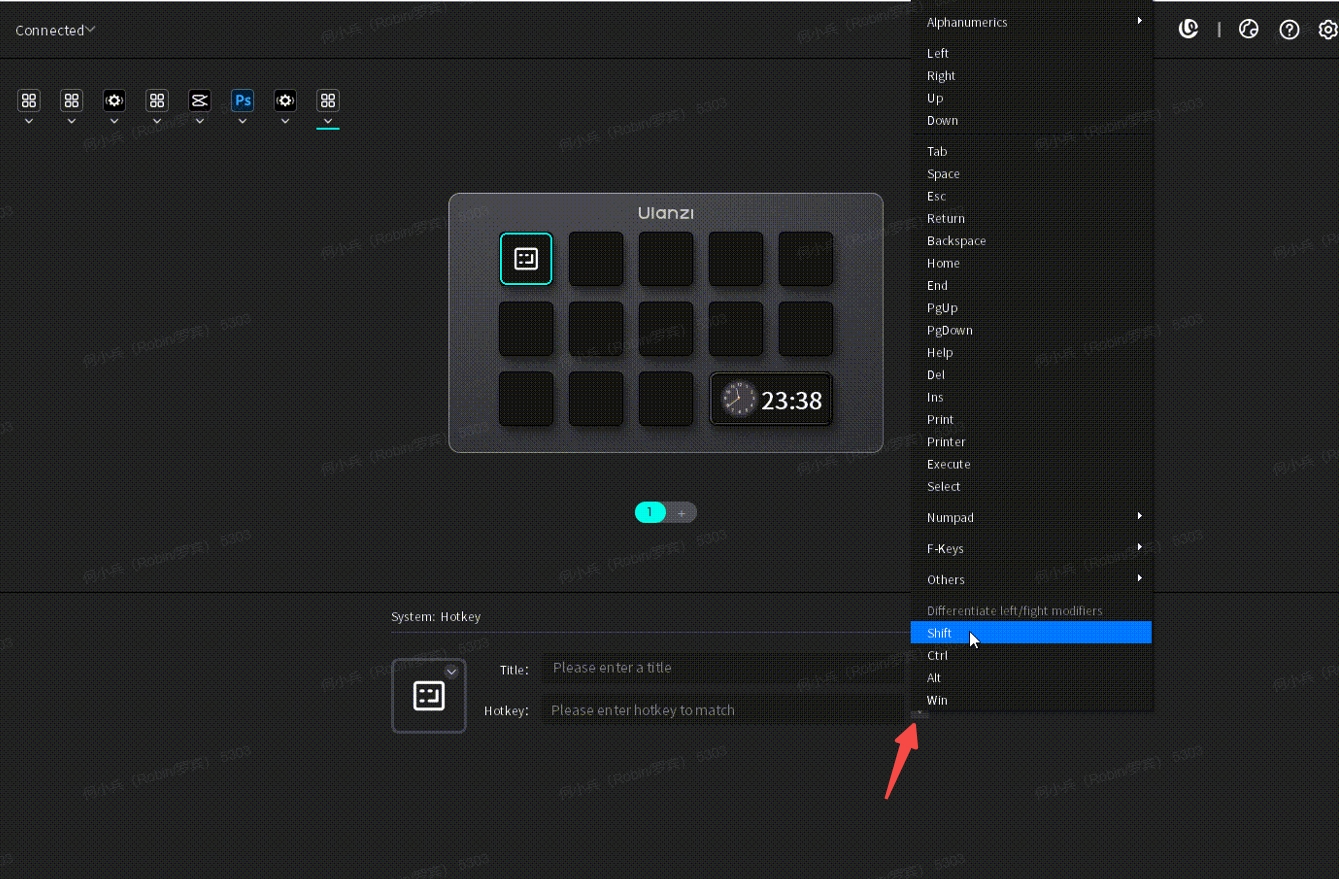
It does not seem possible to apply the hotkeys Ctrl, shift & Alt together , byt themselves?
Clutch Keys.png
您需要登录后才可以回帖 登录 | 立即注册

本版积分规则

手机版|Ulanzi Studio论坛 ( 粤ICP备2024258515号-1 )

GMT+8, 2026-4-10 04:02 , Processed in 0.143464 second(s), 22 queries .

Powered by Discuz! X3.5

© 2001-2026 Discuz! Team.

快速回复 返回顶部 返回列表