|
|
本帖最后由 Chillenow 于 2026-7-27 06:54 编辑
Hi Ulanzi team and everyone!
I built a plugin for Ulanzi Studio called "Claude Deck" and would love your help getting it published in the marketplace (it is currently under review, v1.2.0).
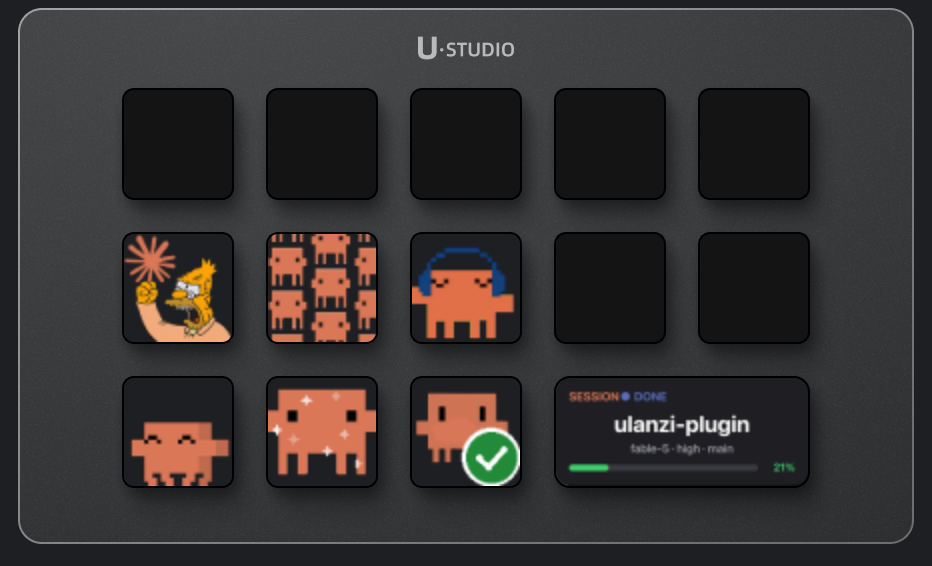
What it does
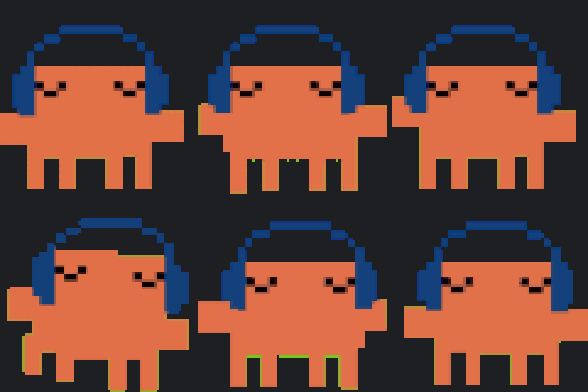
Claude Code (Anthropic's coding agent) runs in your terminal, but you have to keep watching it. Claude Deck puts it on the D200: an animated pet shows each session's live state (coding / compacting context / asking a question / idle), and when Claude asks a question the options appear on the big screen so you can answer from deck keys, without touching the keyboard or losing focus.
7 actions
- Claude Pet: live status animations; press to jump to the terminal session that needs you
- Claude Option Next / OK: cycle the options Claude is asking and confirm; the answer is typed into the right terminal session, no focus stealing; multi-question asks with a final submit are supported
- Claude Session Screen: big-key display with session name, status, model / context / git branch and a colored context bar (progress bar while compacting)
- Claude Compact: compact the shown session's context from the deck (two-press confirm)
- Claude Session Switch: cycle which session the big screen shows
- Claude Screen Setup: one-press toggle that puts the session display on the big 3_2 screen. Note: Ulanzi Studio currently has no native way for plugins to use the big-screen slot, so this key applies the change by patching the layout config and restarting Studio. Tip: set the big-screen background widget to "no background" so the Claude status view shows cleanly and doesn't collide with other tools.
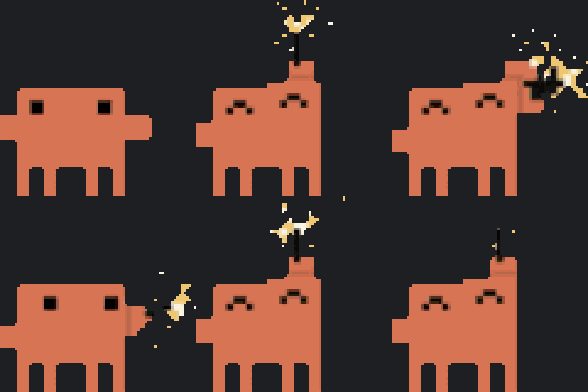
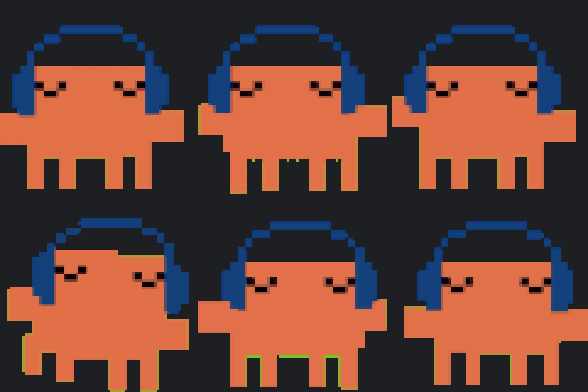
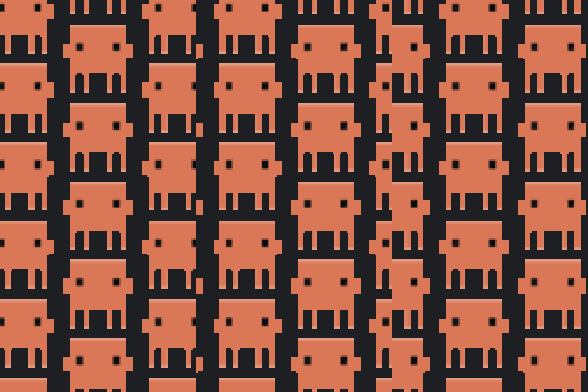
Key guide - what each animation means
Claude Pet
| | | Claude is working | Claude needs you | waiting / idle |
Claude Option Next
| | question live - cycle the options | nothing to pick |
Claude Option OK
| | question live - answer with the shown option | idle |
Claude Compact
| | | ready | press again in 8 s to confirm | compacting now |
Claude Session Switch
| press: jump to the next session (wraps around) |
Claude Screen Setup
| | | big screen showing Claude | big screen hidden | applying - Studio restarting |
Any key
| no Claude session tracked |
How it works
Claude Code hooks write per-session state files; the plugin polls them and renders to the deck. Setup is one click in the plugin panel ("Enable Claude tracking", with automatic backup of settings). Answers are delivered by AppleScript to the exact terminal session (iTerm2 or Terminal.app) running the asking claude, found by pid -> working dir -> TTY. No API calls, no credentials touched - everything stays local.
Requirements
- macOS with Claude Code CLI installed
- Ulanzi Studio 3.0.11+, iTerm2 or Terminal.app
- Accessibility + Automation permissions on first use
Feature request for the Ulanzi team
Please consider allowing plugins to render to the big-screen (3_2 widget) slot natively. Today the widget list is compiled into the app and plugins can't be dragged there, so this plugin needs a config-patching workaround (quit Studio, patch, relaunch). A plugin API for the big screen would remove that hack entirely - happy to beta test it!
My submission
Name: Claude Deck - plugin UUID: com.antonio.deck.shortcuts - submitted from this account's email, currently in review with v1.2.0 (7 actions).
Would you be able to review it and let me know if anything needs to change before it can be published? Happy to make any adjustments you suggest.
Thanks a lot,
Antonio |
|
 English
 简体中文
简体中文 繁體中文
繁體中文 한국 사람
한국 사람 日本語
日本語 Deutsch
 русский
 بالعربية
 TÜRKÇE
 português
 คนไทย
คนไทย french


 发表于
发表于 









 发表于
发表于