|
|
Hi,
I own a D200X Ulanzi.
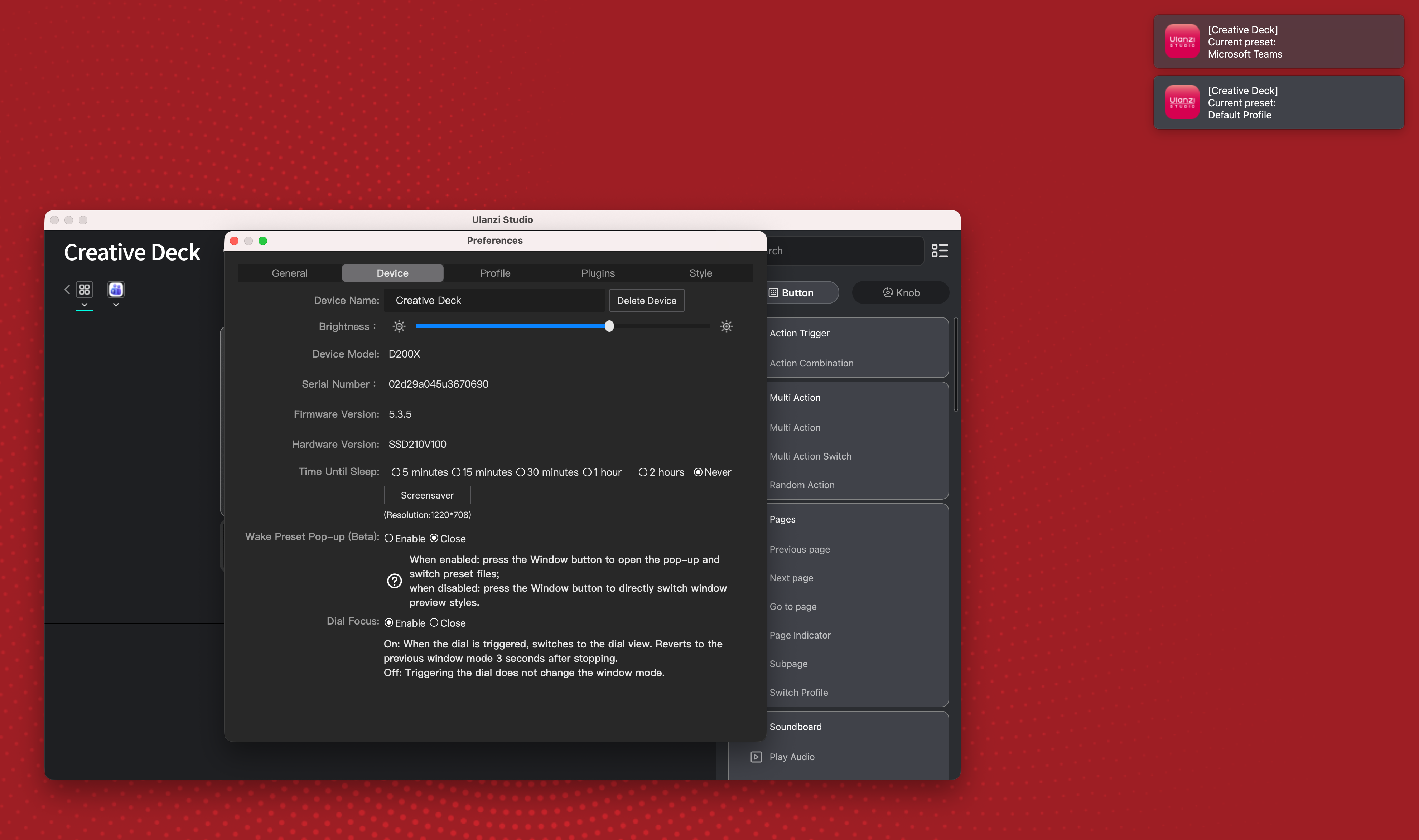
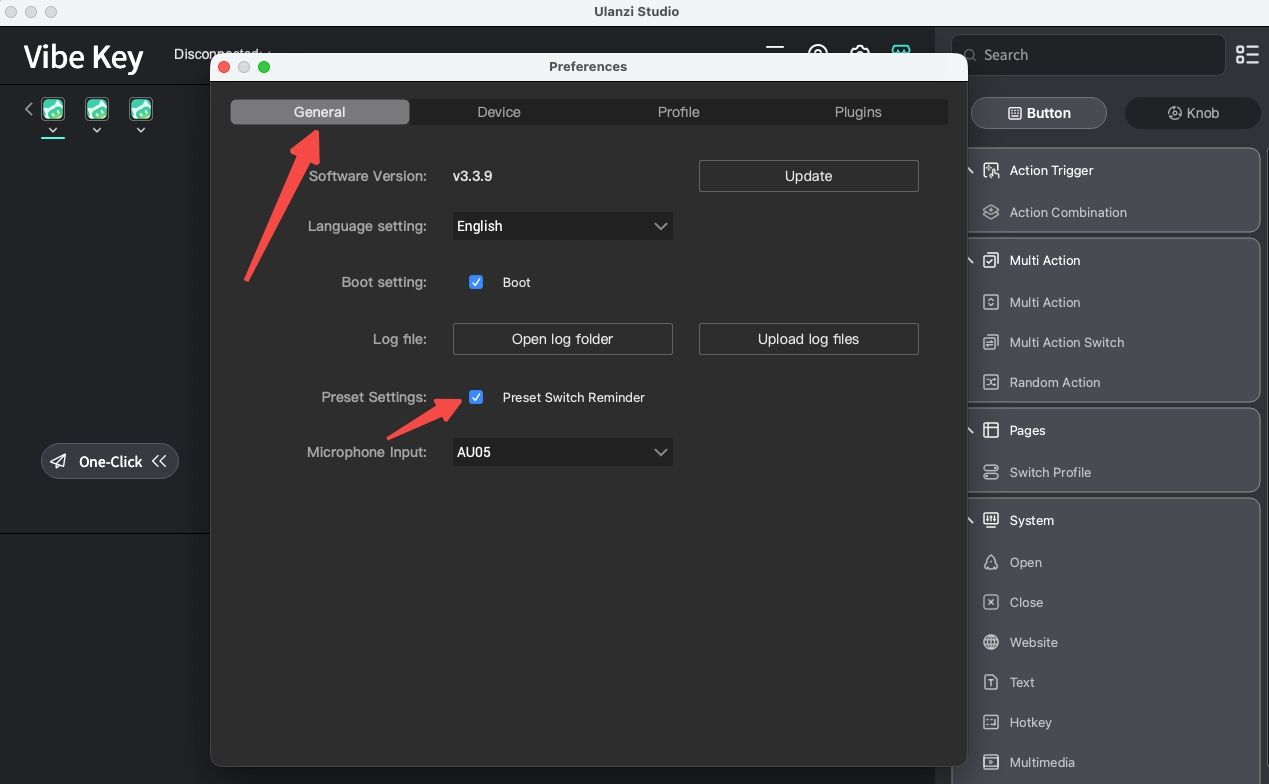
I'm trying to get rid of the notification that appears every time I switch ato an app with a preset or when switching back to the default one.
I've looked everywhere and I don't think it's a macOS system notification — it doesn't show up in System Settings > Notifications, and it still appears even when Do Not Disturb / Focus is turned on. So it seems like the app is drawing a custom overlay styled to look like a notification, rather than using the real macOS notification system.
Is there any way to disable this? I couldn't find a toggle for it anywhere in the app.
It's driving me mad at this point — if there's no way to turn it off, I'll have to return the unit.
Thanks.
|
|
 English
 简体中文
简体中文 繁體中文
繁體中文 한국 사람
한국 사람 日本語
日本語 Deutsch
 русский
 بالعربية
 TÜRKÇE
 português
 คนไทย
คนไทย french

 发表于 2026-9-3 23:33:00


 发表于 2026-9-5 11:36:15