|
|
本帖最后由 HBKelw 于 2026-11-26 14:37 编辑
[FREE PLUGIN] NOX Toggle 2.8 Beta — Two States, One Button
NOX Toggle 2.8 BetaTwo states. One button. More possibilities.
I'm pleased to share NOX Toggle, a free community-developed plugin for Ulanzi Studio that allows a single button to alternate between two customizable keyboard shortcuts and two independent images.
OverviewNOX Toggle was created to make everyday workflows more practical while reducing the number of buttons required to control applications.
Each press executes the keyboard shortcut associated with the current state and switches to the next state, automatically updating the button image.
Main features- Two configurable keyboard shortcuts.
- Two customizable button images.
- Automatic visual state switching.
- Independent configuration for each button.
- Manual selection of the current state.
- Support for identical or different shortcuts.
- No additional AutoHotkey installation required.
- Free distribution with source code included.
Compatibility- Windows.
- Ulanzi Studio.
- Tested on Ulanzi D200 with Zoom.
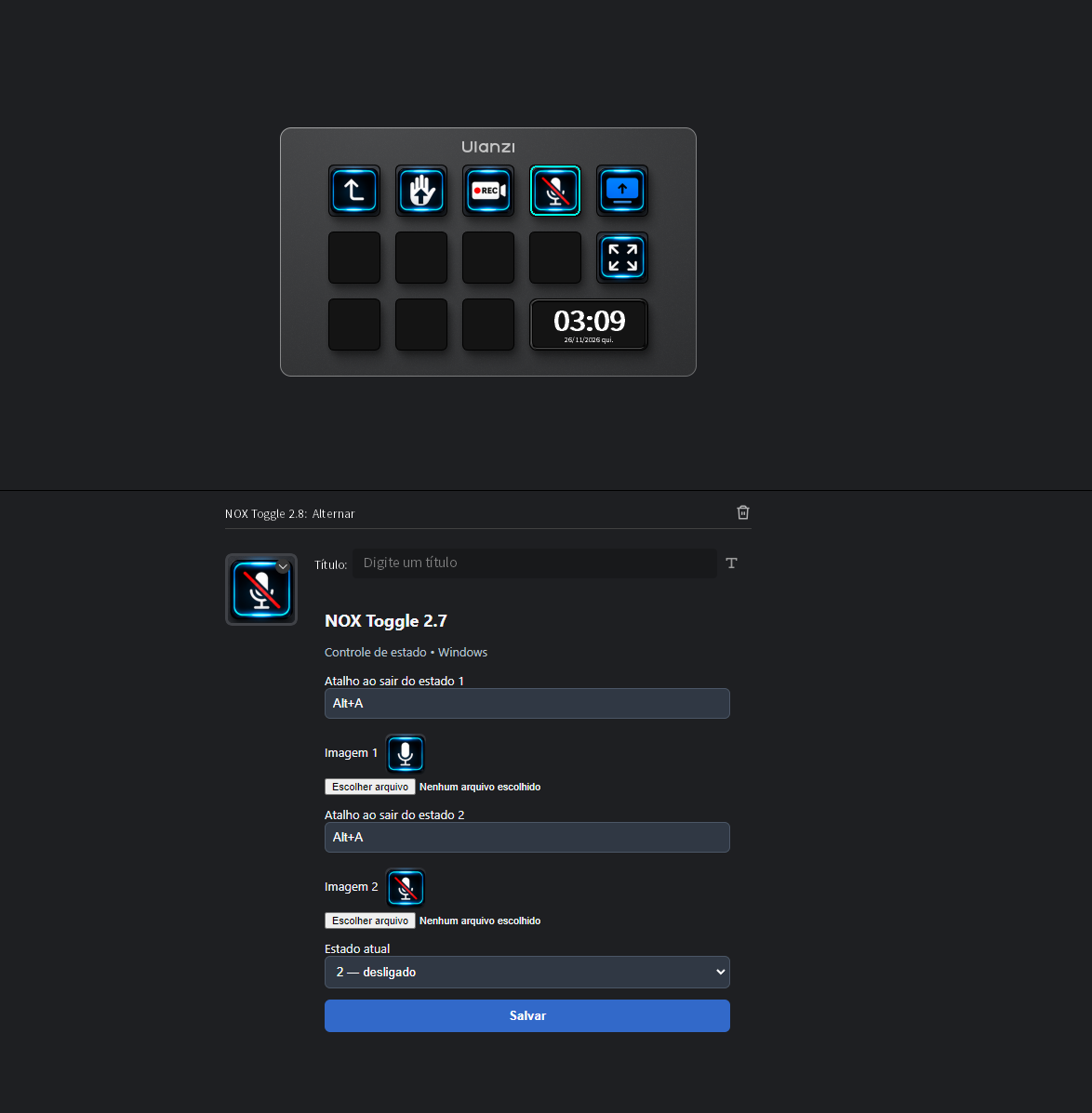
Configuration- Add the Alternar action to an available button.
- Configure the keyboard shortcut for leaving State 1.
- Select the image representing State 1.
- Configure the keyboard shortcut for leaving State 2.
- Select the image representing State 2.
- Select the current state.
- Click Salvar (Save).
The current configuration interface is in Brazilian Portuguese.
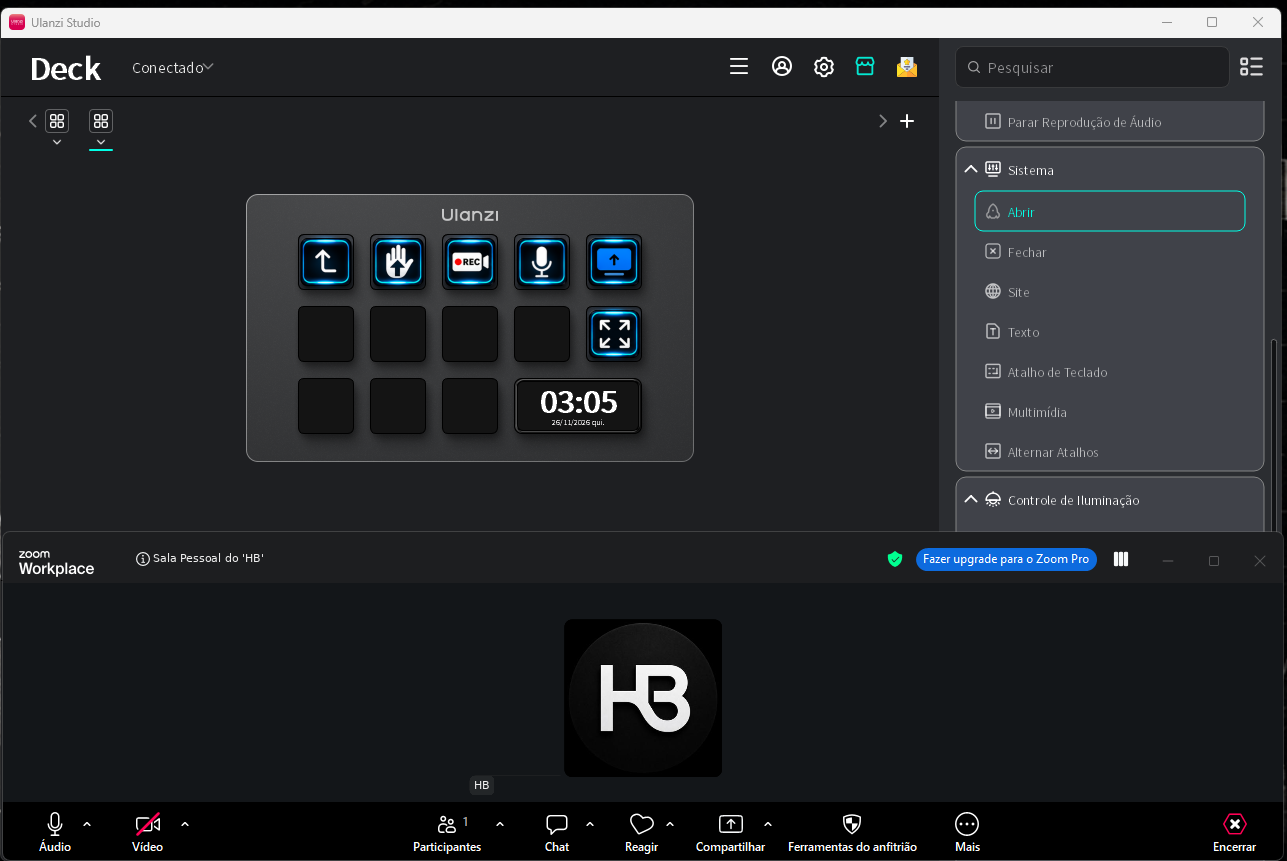
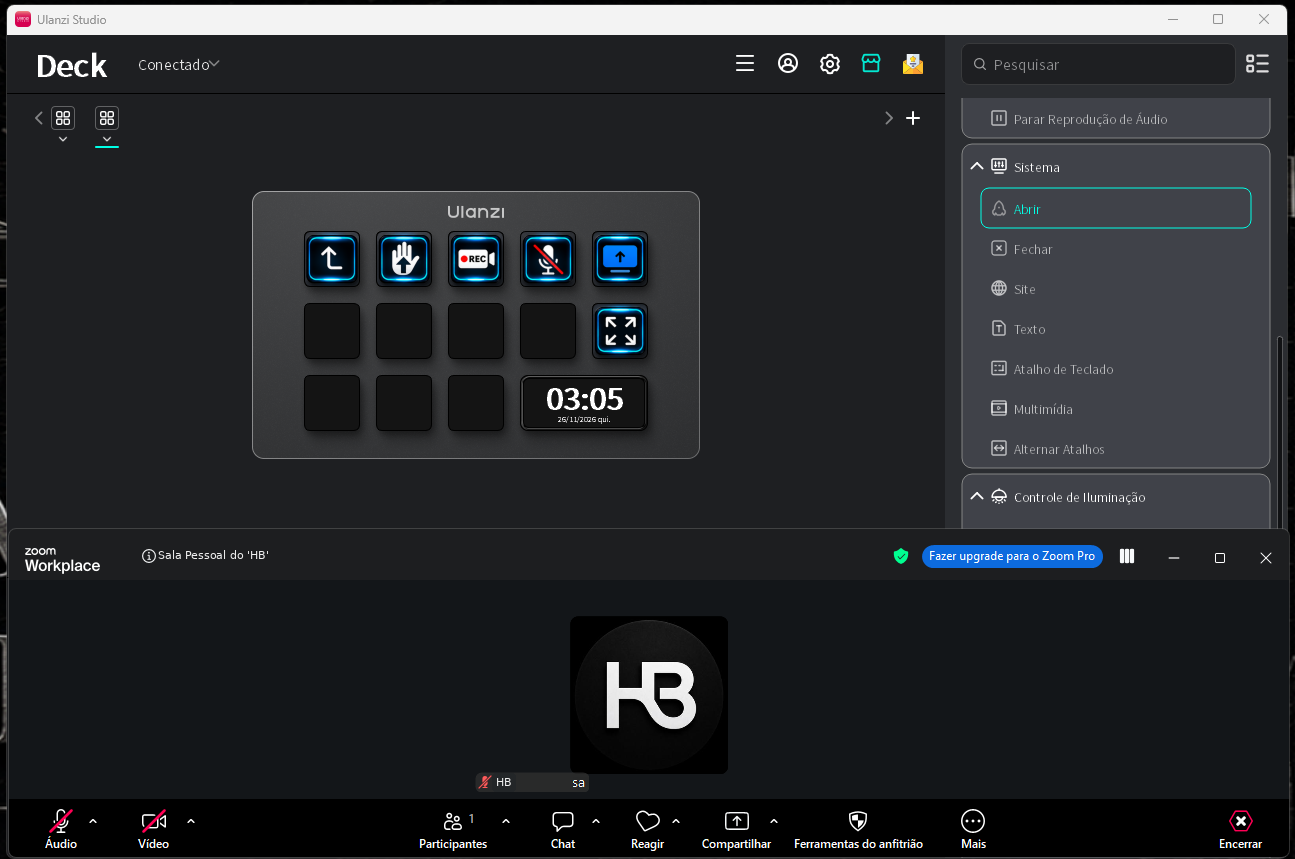
Practical example — Zoom microphoneBoth states are configured with the Alt+A keyboard shortcut, but each state has its own image.
State 1 — Microphone ON
State 2 — Microphone OFF
Pressing the button sends the configured shortcut and alternates between the two microphone images.
For operation outside the active Zoom window, the corresponding global shortcut must be enabled in Zoom.
Other possible applications- Microphone mute/unmute.
- Camera on/off.
- Audio controls.
- Application shortcuts.
- Video editing workflows.
- Other functions controlled through keyboard shortcuts.
Current limitationsThis version uses internal state management. It does not read or synchronize with the actual state of external applications.
Changes made directly within an application may cause its state to differ from the image displayed on the Ulanzi device.
The current state can be manually corrected through the configuration interface.
MultiActions are not supported in this version.
A minor cosmetic inconsistency remains: the configuration panel displays version 2.7, although the plugin version is 2.8.
Future developmentPotential improvements include:
- Real-time application state detection.
- Bidirectional state synchronization.
- Application-specific integrations.
- Multilingual configuration interface.
Development creditsThis plugin was developed through human–AI collaboration, combining human-defined requirements, practical testing and validation with AI-assisted software development using ChatGPT (NOX).
This project demonstrates how human creativity, practical experience and artificial intelligence can work together to create useful tools for the community.
DistributionVersion: 2.8.0 Beta
Project: NOX Toggle
Availability: Free, with source code included.
Package: NOX-Toggle-2.8-beta.zip
This is an independent community project, not an official Ulanzi plugin.
Feedback, suggestions and contributions are welcome.
Thank you, and enjoy!
NOX Toggle — Two states. One button. More possibilities.
AttachmentsThe plugin ZIP package, including its source code, is attached to this post for free download.
Three screenshots are also included, demonstrating:
- State 1 — Microphone ON.
- State 2 — Microphone OFF.
- Plugin configuration interface.
|
|
 English
 简体中文
 繁體中文
 한국 사람
 日本語
 Deutsch
 русский
 بالعربية
 TÜRKÇE
 português
 คนไทย
 french


 发表于